
Windows 11 Mouse Stutter
Written by Gamingmuzz Team. Last updated: October 17, 2026.
Update note: Microsoft is still working on all three known issues below. We’ll refresh this page when its notes change.
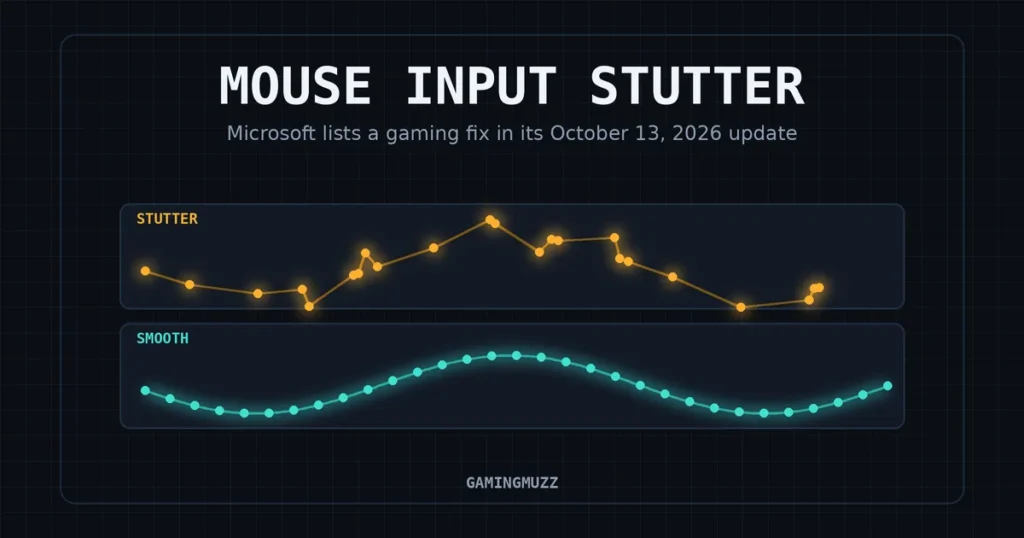
Your crosshair snaps onto a head, then hiccups. The counter says 144 FPS, yet the aim feels like dragging a brick across a desk. Now Microsoft has listed a fix for Windows 11 mouse stutter in its October 13, 2026 update.
For months, players blamed their mouse, their drivers, or plain bad luck. The note is a single line, so it’s easy to miss. It matters because it points at Windows instead of your gear.
Here’s what the fix covers, how to get it, and what to try if the jitter sticks around.
Key Takeaways
- Microsoft’s October 13, 2026 update lists a fix for mouse input stutter in some games.
- One package, KB5127648, covers Windows 11 26H2, 25H2, and 24H2.
- Microsoft doesn’t name the cause or the games, so the fix may not cure every PC.
- Windows 11 24H2 Home and Pro get no more updates after this one.
- If the jitter stays, test drivers, sync settings, polling, and wireless one at a time.
Did Microsoft really fix Windows 11 mouse stutter?
Yes, on paper. Microsoft’s official release notes for the October 13 update include a gaming entry. It says the update resolves an issue that could cause mouse input stutter in some games.
That’s the whole statement, and Microsoft gives no cause, no game list, and no tally of affected PCs. Windows Latest spotted the line and reported it on October 14, 2026.
Confirmed facts
| Item | What we know | Checked |
|---|---|---|
| Update | KB5127648, the October 13, 2026, Patch Tuesday release | Oct 17, 2026 |
| Gaming entry | A fix for stuttering in some games | Oct 17, 2026 |
| Versions covered | Windows 11 26H2, 25H2, and 24H2, all editions | Oct 17, 2026 |
| Delivery | Automatic through Windows Update | Oct 17, 2026 |
| Cause, games, scale | Not stated by Microsoft | Oct 17, 2026 |
Region note: Microsoft’s notes list no country limits. PCs run by a school or workplace may get updates on an admin’s schedule.
Which build gets the Windows 11 mouse stutter fix?
Three versions share one package. Windows 11 26H2, 25H2, and 24H2 all get the same update. Microsoft lists a separate build number for each.
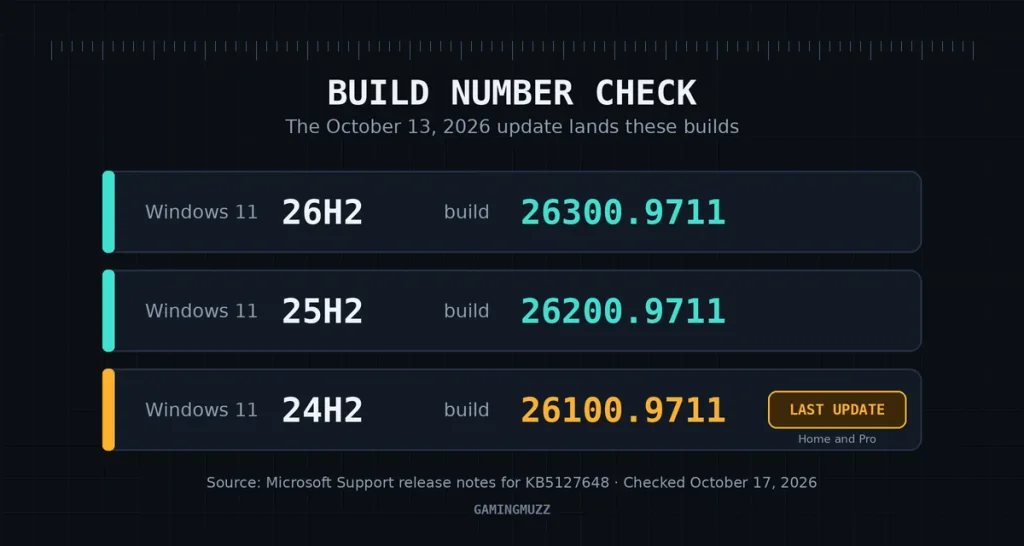
| Windows 11 version | Build after the update. |
|---|---|
| 26H2 | 26300.9711 |
| 25H2 | 26200.9711 |
| 24H2 | 26100.9711 |
Heads up if you’re on 24H2 Home or Pro: Microsoft says this is the last update those editions get. To stay protected, it recommends upgrading to a newer Windows 11 version.
Windows 11 23H2 and 26H1 get their own updates, KB5126653 and KB5127646. I couldn’t confirm that either one carries the gaming fix, so I won’t promise it.
How to fix Windows 11 mouse stutter in four steps
Start with the boring step, because Microsoft’s own note points there.
- Check your build. Press Win + R, type winver, and hit Enter, then write down the build number you see.
- Run Windows Update. Open Settings, pick Windows Update, select Check for updates, and install the October 2026 security update.
- Restart. Reboot so the update can finish installing.
- Retest. Load the same game and the same spot where the jitter hit before, so the comparison is fair.
If Windows Update keeps failing, BleepingComputer notes that you can download the standalone package from the Microsoft Update Catalog instead.
Still seeing Windows 11 mouse stutter after updating?
What if your game was never part of the fix? Microsoft says “some games,” and that’s as specific as it gets.
Windows Latest lists the usual culprits. Those include old mouse, USB, or GPU drivers; G-SYNC or adaptive sync; wireless interference; and very high polling rates. User reports also point at docks, although Microsoft hasn’t said these share one cause.
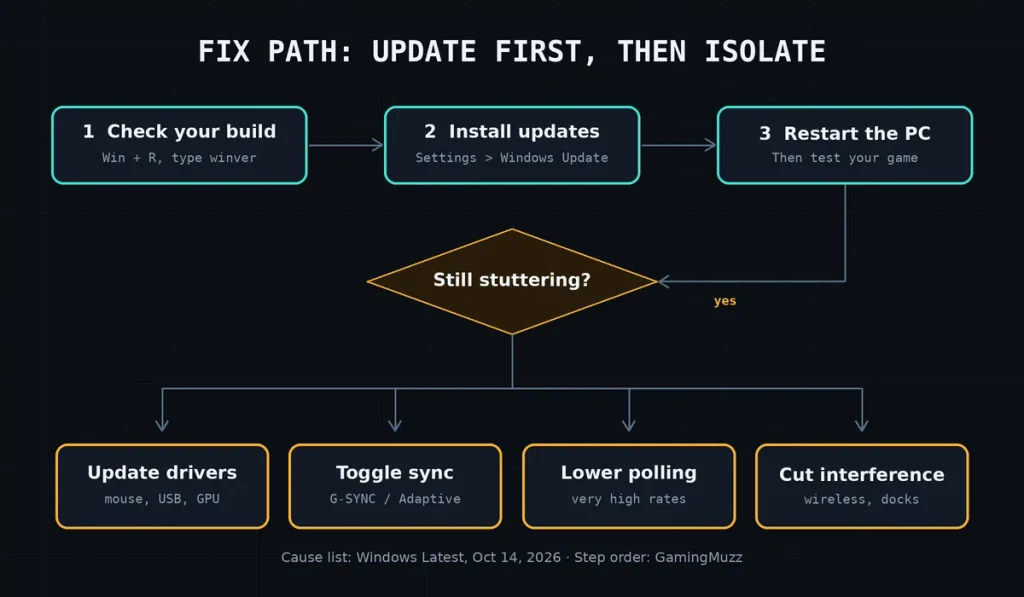
Test one change at a time.
- Update the mouse, USB, and GPU drivers from the makers’ own sites.
- Switch G-SYNC or Adaptive Sync off, then test.
- Drop the polling rate a notch if yours is very high.
- Go wired, or move the receiver closer, if you play wireless.
- Unplug the dock for one test session.
Change one thing, test, then move on, so you know exactly which tweak made the difference.
Mistakes that keep the Windows 11 mouse stutter alive
You’ve seen this movie: New Mouse, Same Jitter, Lighter Wallet.
- Buying gear first. Update Windows before you spend a cent.
- Changing five settings at once. You’ll never learn which one mattered.
- Trusting random “fix” downloads. Stick to Windows Update and your hardware maker’s site.
- Ignoring the build number. An old build can’t carry a new fix.
Check these known issues before you update.
Microsoft lists three open problems on this update, as of October 17, 2026. Two could touch a gaming rig.
- Smart App Control: Some PCs can’t switch it on if it was off. Microsoft is working on a fix.
- USB audio devices: Class 1.0 headsets or DACs may fail after the September 8 update. A September 14 patch fixed the 8-channel and 3D audio cases, and Microsoft is still working on the rest.
- Remote Desktop: non-admin users can hit error 0xC000000D on certain work PCs.
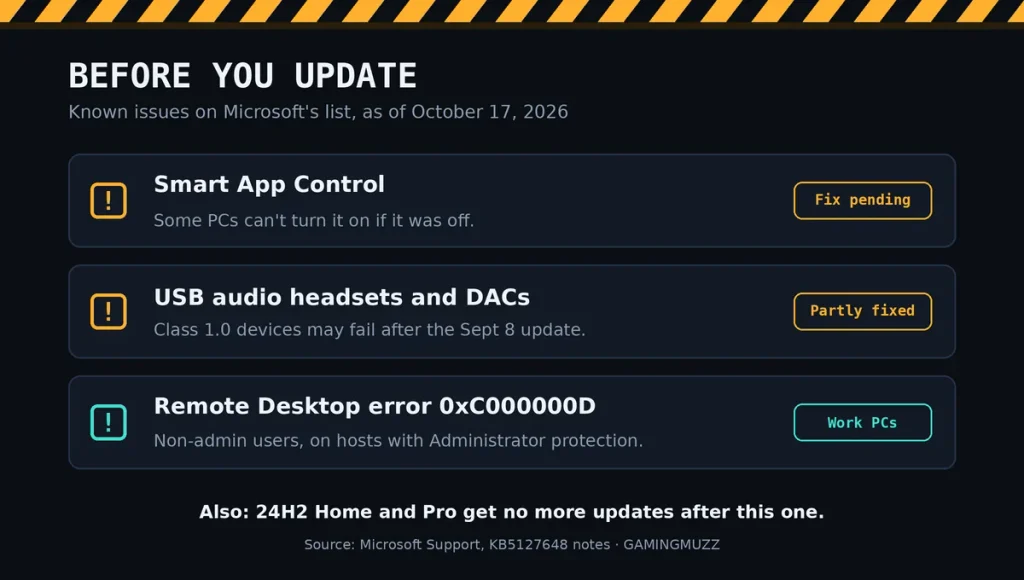
For gamers, the USB audio one matters most. If you use a USB headset, plug it in after updating and check your sound before the next ranked match.
Reports to watch: Xbox sign-in error 0x87DD0005
Not every patch story ends cleanly.
Reported, not confirmed
Windows Report indicates that, unfortunately, some Windows 11 users are experiencing difficulties signing in to Microsoft Solitaire, Mahjong, and other Xbox games. Specifically, the error code is 0x87DD0005, and notably, one user has linked this issue to the October Patch Tuesday updates.
Moreover, the outlet mentions that Microsoft has yet to confirm a permanent fix for this problem. In the meantime, a user-suggested workaround involves setting the Microsoft Account Sign-in Assistant service to Automatic; however, it is important to note that this is not an official fix.
Furthermore, it is worth mentioning that only one outlet has reported this issue so far, so it should be treated as unverified.
My read: Is Windows 11 mouse stutter Microsoft’s fault?
My read: partly, and that’s enough to change your first move. A fix in the release notes means Windows had a bug. It doesn’t mean every jittery mouse was Windows’ doing.
Windows Latest argues a Windows bug explains why so many players swapped fine mice and saw no change. That’s their opinion, and a fair one. Mine is simpler: update first, shop last.
How I checked this
Here’s the paper trail. I read Microsoft’s official release notes for the update on October 17, 2026. I cross-checked the gaming line against Windows Latest, BleepingComputer, and Windows Report.
We haven’t tested the update on our own rigs. This article rests on official notes and outlet reports. Every “as of” stamp means I checked it on October 17, 2026.
Bottom line
Windows 11 mouse stutter finally has an official fix on the table. Install the October 13 update, restart, and retest the same spot.
Still jittery? Then go hunting through drivers and settings, one at a time