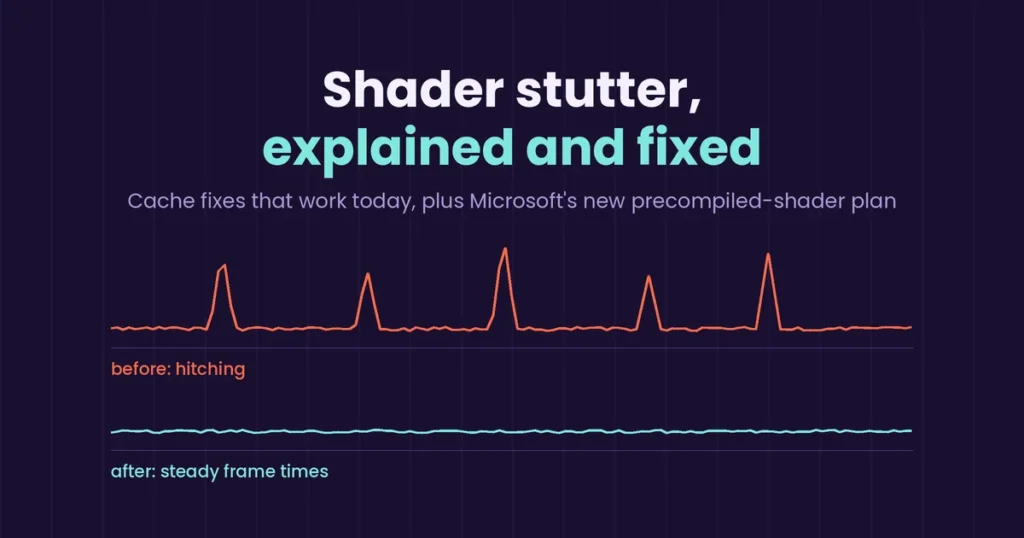

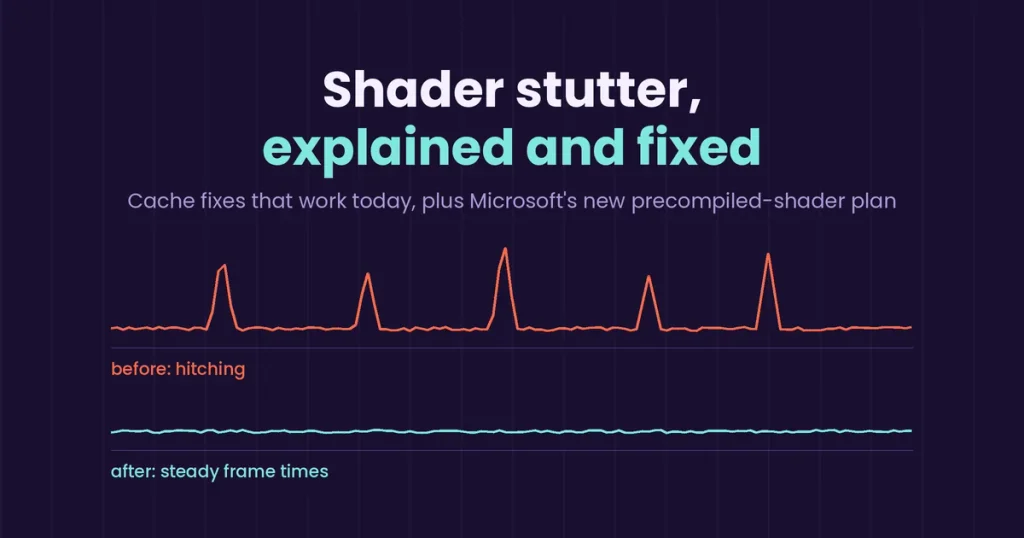
Concept graphic by GamingMuzz, not real benchmark data.
Written by the GamingMuzz team. Last updated: Monday, October 19, 2026.
Update note: NVIDIA and Intel support for ASD was still due “later in October” when we checked. Expect changes.
You launch a new release and the first ten minutes feel like a slideshow. Your counter says 90 fps, yet the picture hitches whenever a new enemy shows up. That is shader compilation stutter, and it is why strong PCs feel weak in fresh games. Luckily, most of it is fixable in five minutes. Better still, a bigger fix from Microsoft is rolling out right now. Below: what works today, what is coming, and what nobody has confirmed yet.
Key Takeaways
- The hitching happens when your PC builds graphics instructions on the fly instead of reusing saved ones.
- The fast fixes are a fresh GPU driver, a cleared DirectX cache, and a bigger NVIDIA cache limit.
- Microsoft’s Advanced Shader Delivery (ASD) ships ready-made shaders with the download. It is live on AMD and Snapdragon X2.
- Intel and NVIDIA support was still “later in October” when we checked, and it only helps games that add support.
Quick answer
Quick answer: Update your GPU driver. Clear the DirectX Shader Cache. On NVIDIA, raise the cache limit and reboot. Then let the game rebuild its saved shaders over one patient session. On supported games, install the Xbox PC app before downloading so ASD can kick in.
Shader compilation stutter: what is actually going on?
Think of shaders as tiny recipes. Each one tells your GPU how to draw light, shadow, or a shiny surface. A PC game can’t ship every recipe for every graphics card and driver combo. So your CPU cooks them itself, the first time the game needs each one.
Consoles skip this mess because every unit has the same hardware. Per Microsoft’s own GDC 2026 write-up, PCs face a huge matrix of drivers and GPUs. That, in short, is the core problem.
In practice, you feel it two ways. One is the long “compiling shaders” bar at first launch. Then there is the hitch mid-fight, when the game asks for a recipe it hasn’t built yet.
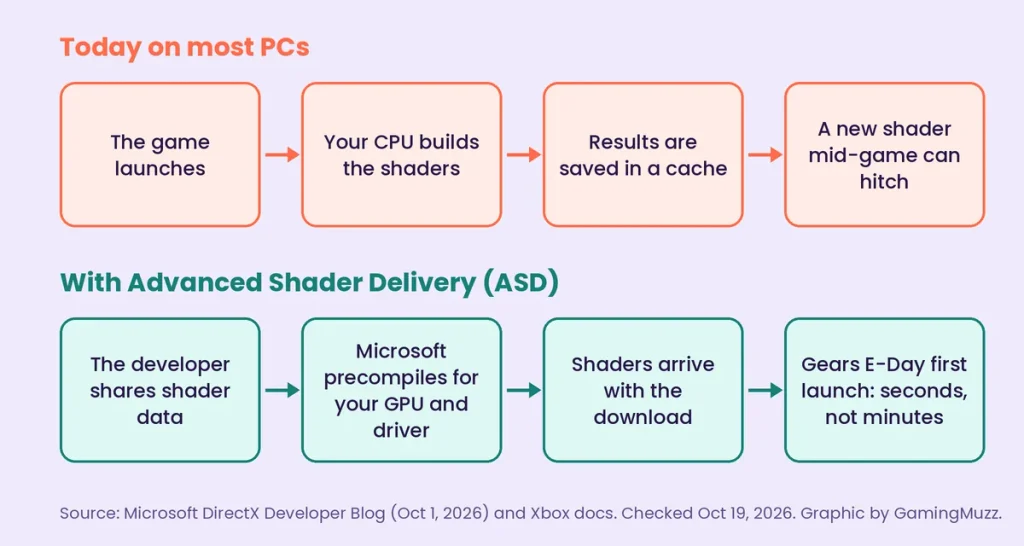
Source: Microsoft DirectX Developer Blog (October 1, 2026) and Xbox docs. Graphic by GamingMuzz.
My read: The loading bar is the honest version. A hidden hitch is worse, because you blame the game, or your hardware, or both.
Why shader compilation stutter returns after every patch
Saved shaders are tied to your driver and the game version. Change either one and the old cache can go stale. Then the whole rebuild starts again.
Size matters too. PC Gamer reported that raising its NVIDIA cache limit to 100 GB calmed Borderlands 4 hitching on its test rig. Playing longer or restarting did not give the same result, the writer said.
That is one outlet and one rig, so treat it as a strong hint, not a law. Still, it matches what many players describe after big updates.
| Trigger | What happens | What helps |
|---|---|---|
| New GPU driver | Old compiled shaders may no longer match | Clear the DirectX cache, replay once |
| Game patch | The game ships changed shaders | Give it one full session to rebuild |
| Small cache limit | Old shaders get pushed out | Raise the NVIDIA limit |
| Corrupted cache files | Crashes, artifacts, lower performance | Reset or clear the cache |
Five-minute checklist before you change anything
Do these first, because they cost nothing and rule out the boring causes.
- Install the newest GPU driver for your card.
- Free some SSD space, because bigger caches need room.
- Close overlays and capture tools while you test.
- Check you are on Windows 11 24H2 or newer if you want ASD.
- Test one game at a time, so you know what worked.
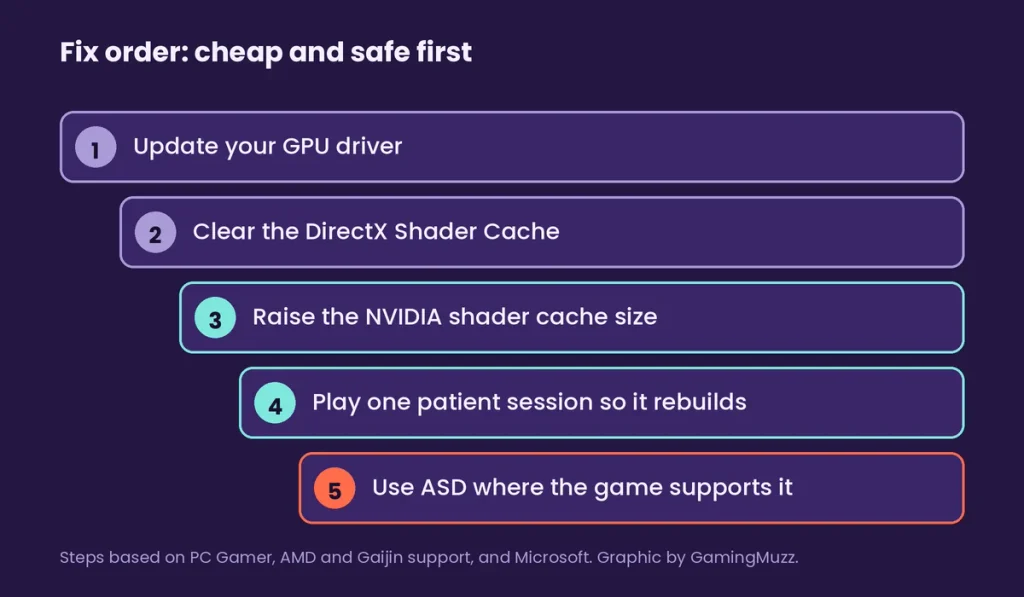
Fix order built from PC Gamer, AMD and Gaijin support pages, and Microsoft. Graphic by GamingMuzz.
How to fix shader compilation stutter on NVIDIA cards
For now, NVIDIA is the one place where you can raise the limit yourself. Here is the route PC Gamer and Gaijin support both describe.
- Close the game.
- Right-click the desktop. On Windows 11, pick “Show more options.”
- Open NVIDIA Control Panel, then Manage 3D settings, then the Global Settings tab.
- Find Shader Cache Size and pick a bigger value. Apply it.
- Reboot, then launch the game.
My read: Start the shader cache size at 10 GB, not 100 GB. It is a gentler jump, and it keeps your drive roomy. If hitching survives, go bigger.
If the stutter began right after a driver change, clear the old cache too. Open Disk Cleanup, pick your system drive, and tick only DirectX Shader Cache. Also, expect one rough session while everything rebuilds.
How to fix shader compilation stutter on AMD and Intel
AMD gives you a reset button, not a size slider. Open AMD Software, go to Graphics, expand Advanced, and hit Reset Shader Cache. AMD’s support page says this deletes stored cache files, so the first run afterward will be slower.
Intel owners, meanwhile, should start with a driver update and the same Disk Cleanup step. PC Games Hardware reports that Intel already has its own precompiled-shader option in its driver. We could not test that, so please check Intel’s release notes for your card.
Snapdragon X2 laptops are in a good spot right now. ASD support is already live there with driver 2026.08.3 or newer, provided the game supports it.
Will Advanced Shader Delivery end shader compilation stutter?
Not by itself, but it is the biggest step yet. Microsoft’s docs say the system captures a game’s shader states, precompiles them, and delivers them at download time. That moves the work off your CPU.
On October 1, Microsoft claimed first-launch compiling in Gears of War: E-Day takes a few seconds instead of several minutes. It puts the cut at roughly 95%. Remember, that is Microsoft’s number, not an independent test.
The catch is support. Precompiled shaders only exist for games whose developers opt in. First, developers must collect shader data and submit it with the game. So hardware support alone does not switch ASD on for older titles.
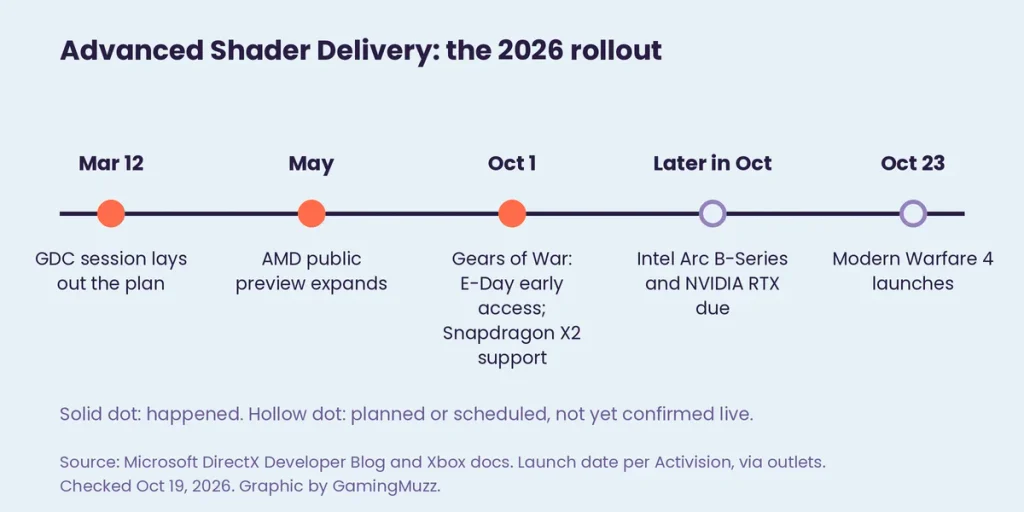
Source: Microsoft DirectX Developer Blog and Xbox docs; launch date per Activision, via outlets. Graphic by GamingMuzz.
Here is where each platform stood as of October 19, 2026. Windows 11 24H2 or newer is required for all of them.
| Platform | Hardware named by Microsoft | Driver needed | Status |
|---|---|---|---|
| AMD | Radeon RDNA 1 to RDNA 4 | Adrenalin 26.6.1 or newer | Live |
| Qualcomm | Snapdragon X2 Series | 2026.08.3 or newer | Live |
| Intel | Arc B570, B580, Core Ultra Series 2 and 3 | Not published | Later in October |
| NVIDIA | All RTX GPUs and RTX Spark | Not published | Later in October |
Region note: Microsoft’s post names no regional limits. Still, check that the Xbox PC app is offered in your country.
Confirmed facts vs. what is still unconfirmed
Confirmed (as of October 19, 2026):
| Fact | Source |
|---|---|
| ASD precompiles shaders and delivers them at download | Microsoft Xbox docs |
| E-Day is the first game named for the wider rollout | Microsoft, October 1, 2026 |
| Xbox PC app should be installed before downloading | Microsoft, October 1, 2026 |
| NVIDIA driver 617.42 (October 6) does not mention ASD | Reported by Mixed, from NVIDIA’s release notes |
| Modern Warfare 4 launches October 23 on PC | Activision, via multiple outlets |
Unconfirmed or reported only
- Exact NVIDIA and Intel driver versions: Microsoft had not published them when we checked. Anyone naming one is guessing.
- Modern Warfare 4 and ASD: Microsoft says support is coming. Outlets citing Activision’s Steam post say the game will use it. We have not seen it running.
- Older GTX cards: Microsoft names RTX hardware only. GTX support is not stated either way.
Common mistakes that make shader compilation stutter worse
- Judging after one run. A fresh cache is empty, so the first session is the worst one.
- Wiping caches on a schedule. You throw away work your PC already did.
- Huge cache limit, tiny drive. A bigger cache needs space to grow.
- Assuming ASD is on. It needs a supported game, the Xbox PC app, and a matching driver.
- Blaming shaders for everything. One July 2026 guide also lists low VRAM, slow storage, and heat as stutter causes.
How I checked this
This article is based on official sources and outlet descriptions. We did not run these fixes on a test rig of our own. The key facts come from Microsoft: its DirectX Developer Blog (October 1, 2026), its Xbox developer docs, and its GDC 2026 write-up (March 12, 2026). The cache steps come from PC Gamer, AMD’s support article, and Gaijin’s support page. NVIDIA driver details come from Mixed’s review of the 617.42 release notes. Intel and launch details come from PC Games Hardware, TechPowerUp, OC3D, and JEU.VIDEO. Any claim from a single outlet is labeled as reported.
For the full Microsoft announcement, read the DirectX Developer Blog post on ASD.
FAQ
Does a bigger NVIDIA cache always help? No. PC Gamer saw a clear gain in one game on one rig. A moderate bump is a safer first test.
Do I need the Xbox PC app for ASD? Yes. Microsoft says to install it before you download a supported game.
Will ASD fix my older games? Only if the developer adds support and submits shader data. Newer driver support alone won’t do it.
Is clearing the DirectX cache safe? Yes. Windows and your driver rebuild it, but the next session will stutter again for a while.
Final word
Shader compilation stutter won’t vanish overnight. For now, update, clear, resize, and be patient. If Microsoft’s rollout lands on NVIDIA and Intel as promised, the waiting part could finally shrink. I’ll believe it when a few more games ship with it.